Dashboard
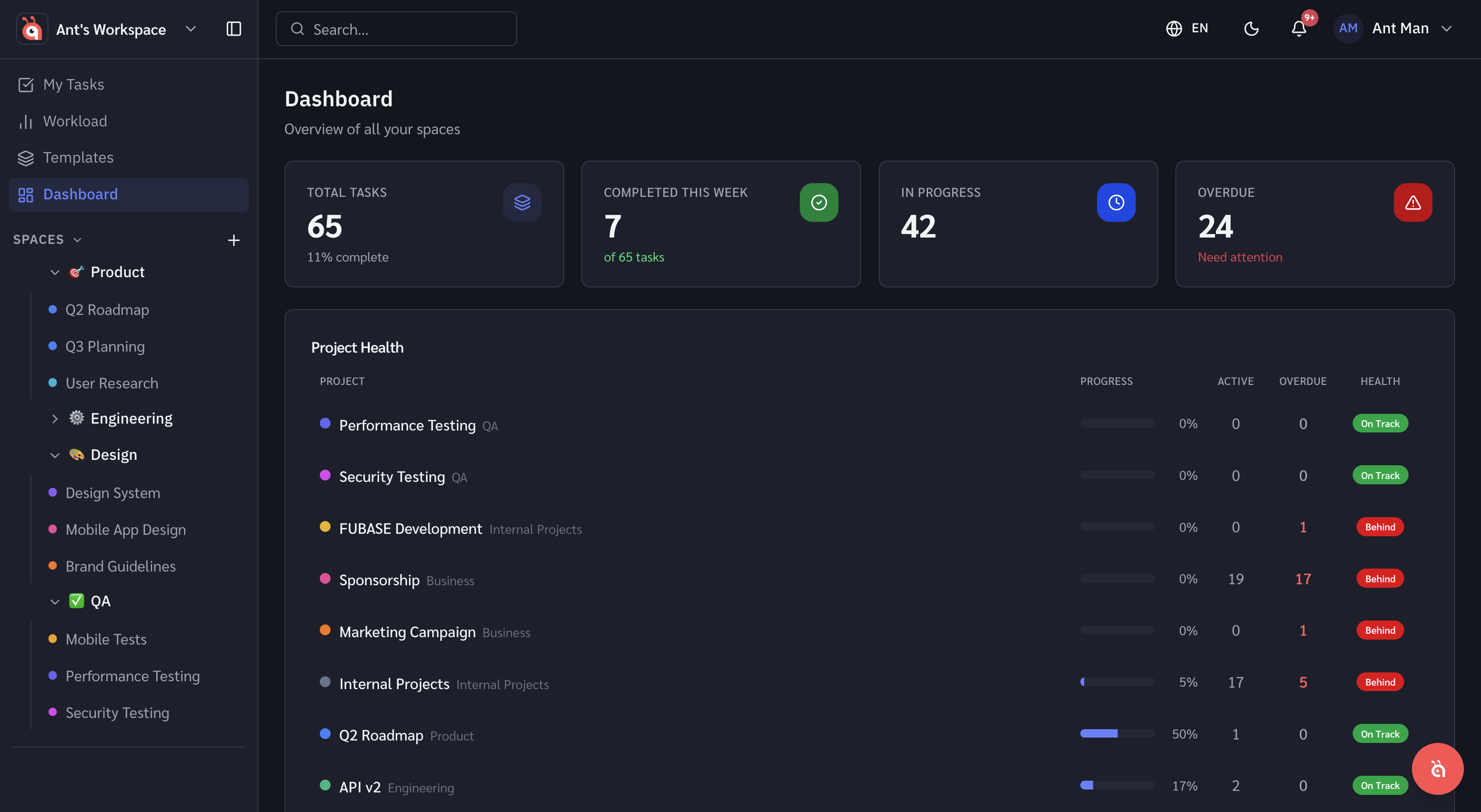
Workspace report overview
The workspace report gives you a high-level view of task completion, workload utilisation, and progress across your whole workspace.
The workspace report is antbase's built-in analytics view. It is designed for team leads and managers who need a fast read on how the team is doing.
What is included
- Task completion — tasks completed vs total tasks across a selected time period
- Workload utilisation — how evenly work is distributed across the team
- Overdue tasks — count and breakdown of tasks past their due date
- Activity by member — who is most and least active
Changing the date range
Use the date picker in the top-right of the report to switch between this week, last week, this month, or a custom range.
Filtering by space or project
By default the report covers the whole workspace. Use the Filter menu to narrow it to one or more spaces or projects.
Was this helpful?