Workloads
Understanding the Workload view
The Workload view shows every team member's task load across time — so you can spot who is overloaded before it becomes a problem.
The Workload view is one of antbase's most powerful features. It gives managers and team leads a clear picture of how work is distributed across the team over time.
What you see
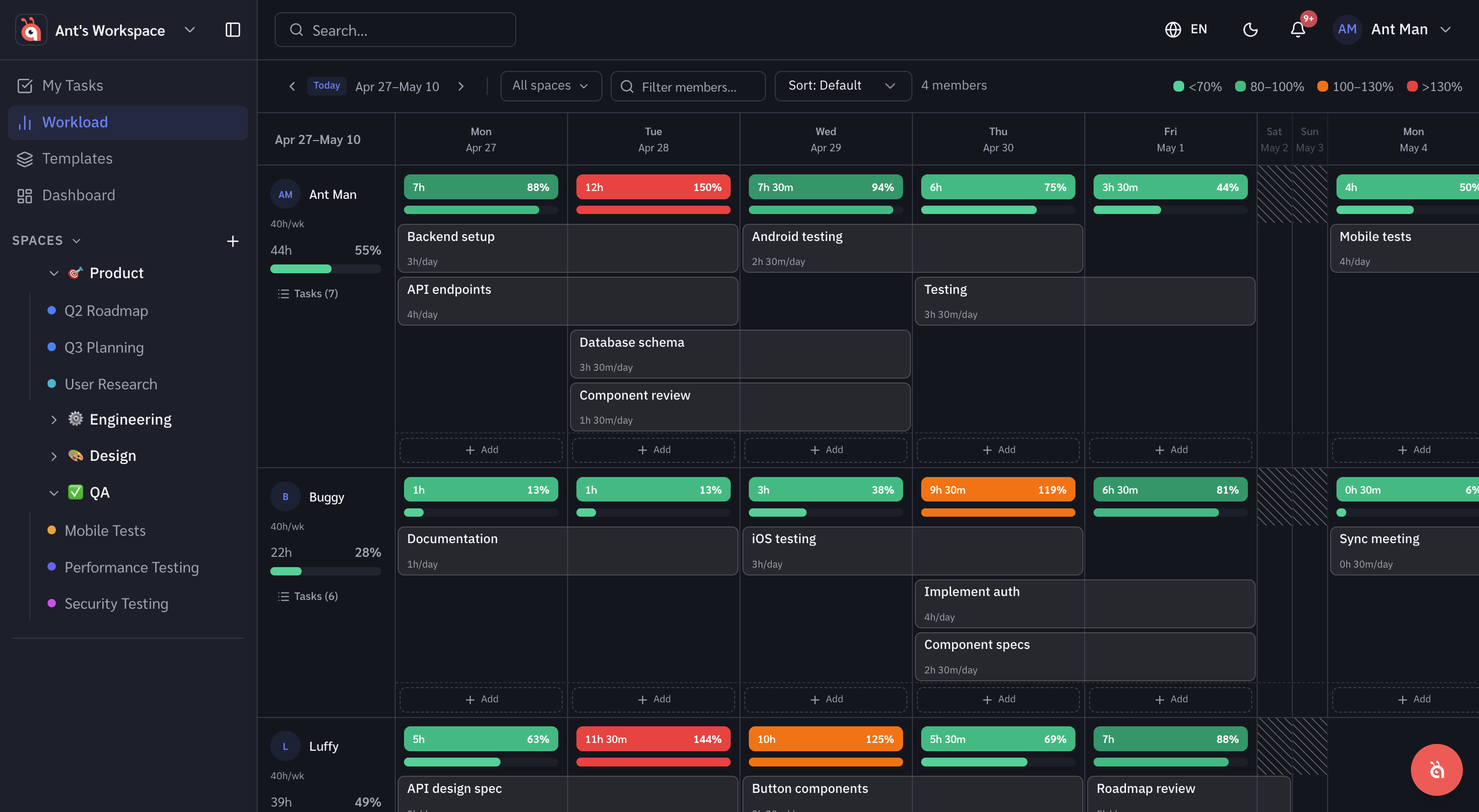
Each row represents a team member. Each column is a day or week. The blocks show how many tasks (or hours of estimated work) are assigned to that person on that day.
Colour coding
- Green — capacity is well-utilised
- Amber — approaching full capacity
- Red — overloaded
Drilling into tasks
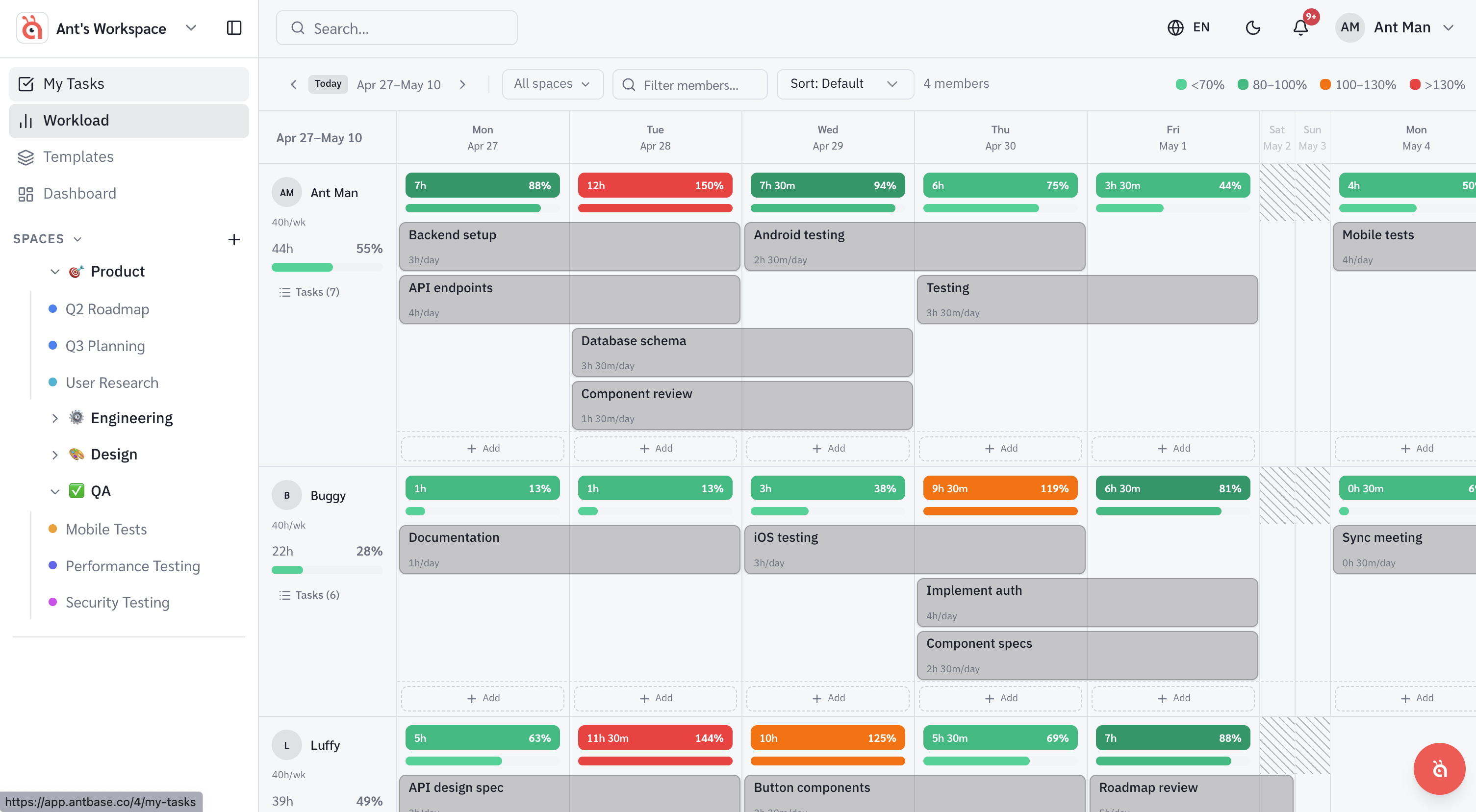
Click on any block to see which specific tasks are contributing to that person's workload on that day. You can open, reassign, or reschedule tasks directly from this view.
Switching between day and week view
Use the toggle in the top-right to switch between a daily and weekly breakdown. Weekly view is better for sprint planning; daily view is better for spotting immediate bottlenecks.
Was this helpful?